# Install OMrun

> Please check the [system-requirements](https://dbi-services.gitbook.io/omrun-help/version-4.x/readme/system-requirements "mention") before starting the installation.

## Install OMrun

OMrun is designed to run on 64 bit hardware.

***

### Step 1: Initialisation

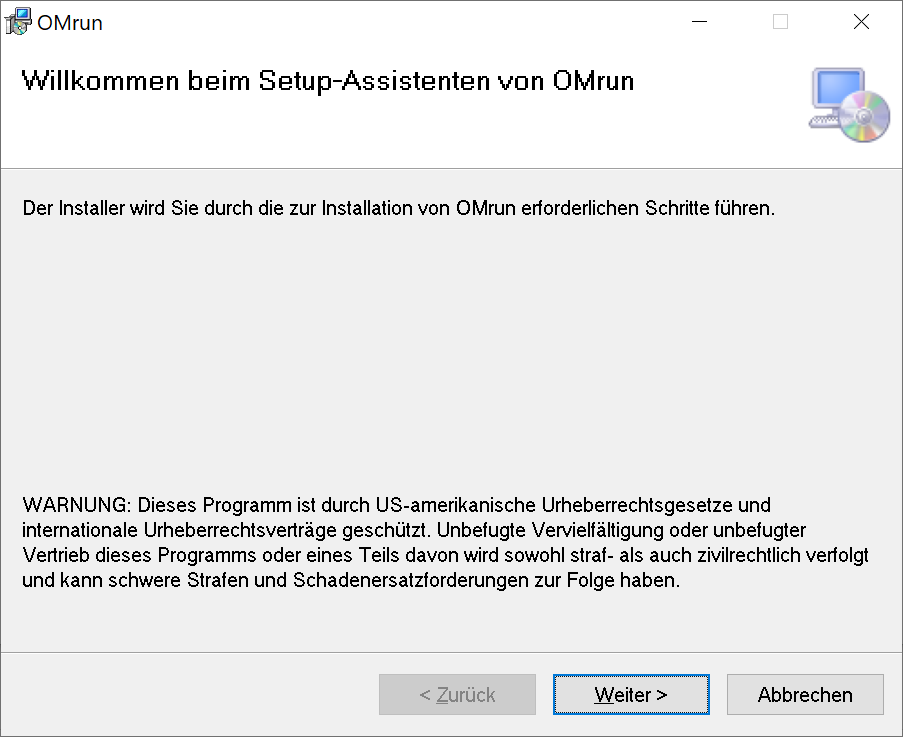
To install OMrun, double-click the installation file. The installation procedure for OMrun starts and installs the software.

Click `Next`.

<figure><img src="https://2873353689-files.gitbook.io/~/files/v0/b/gitbook-x-prod.appspot.com/o/spaces%2FfK1YJaTCqOiS0L22wVKG%2Fuploads%2Fgit-blob-6d0cb34264e6df637bd06164b89eb337f91cf3f6%2FOMrunHelp_installation_step1.png?alt=media" alt="OMrun Installation Step 1" width="80%"><figcaption><p>OMrun Installation Step 1</p></figcaption></figure>

***

### Step 2: Path of installation

Modify installation path or leave default entry.

[omrun-paths](https://dbi-services.gitbook.io/omrun-help/version-4.x/installation/install-omrun/omrun-paths "mention")

Click `Next`.

<figure><img src="https://2873353689-files.gitbook.io/~/files/v0/b/gitbook-x-prod.appspot.com/o/spaces%2FfK1YJaTCqOiS0L22wVKG%2Fuploads%2Fgit-blob-97f5321287d4a144993f5bcd1df8f527c695c5f5%2FOMrunHelp_installation_step2.png?alt=media" alt="OMrun Installation Step 2" width="80%"><figcaption><p>OMrun Installation Step 2</p></figcaption></figure>

***

### Step 3: Installation finished

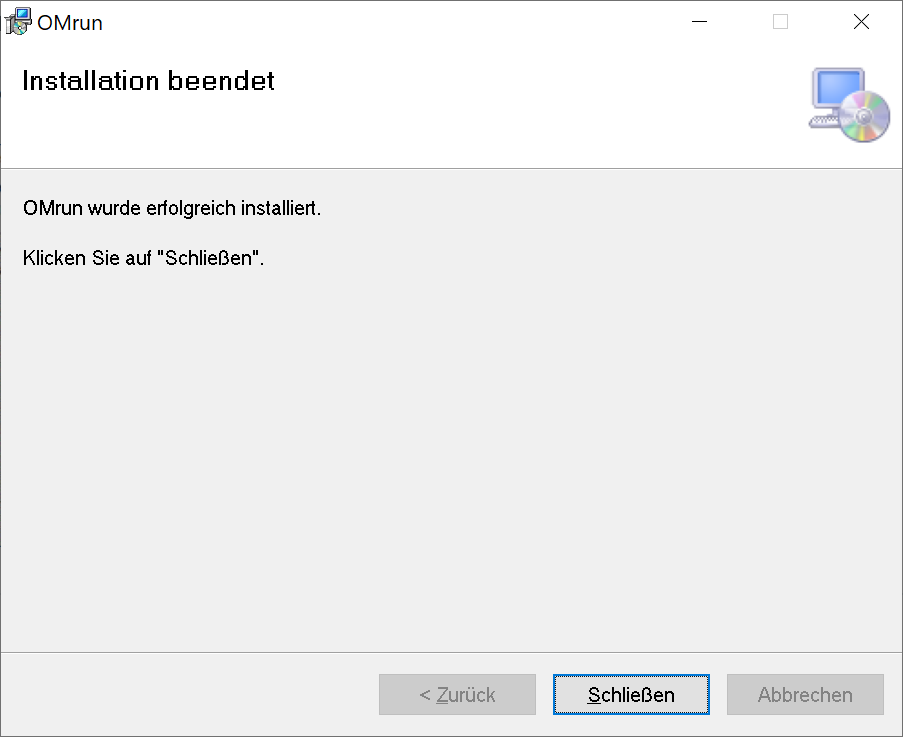
OMrun starts automatically after successful installation.

Click `Finish`.

<figure><img src="https://2873353689-files.gitbook.io/~/files/v0/b/gitbook-x-prod.appspot.com/o/spaces%2FfK1YJaTCqOiS0L22wVKG%2Fuploads%2Fgit-blob-847027dbf0ea2c5f741d17e83bd15579c34a2530%2FOMrunHelp_installation_step3.png?alt=media" alt="OMrun Installation Step 3" width="80%"><figcaption><p>OMrun Installation Step 3</p></figcaption></figure>

***

### Step 4: License

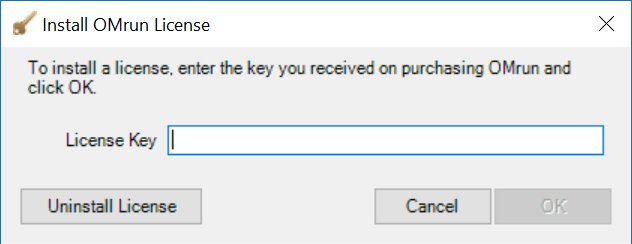
**License**\
Enter the OMrun [license-key](https://dbi-services.gitbook.io/omrun-help/version-4.x/installation/install-omrun/license-key "mention").

<figure><img src="https://2873353689-files.gitbook.io/~/files/v0/b/gitbook-x-prod.appspot.com/o/spaces%2FfK1YJaTCqOiS0L22wVKG%2Fuploads%2Fgit-blob-1ca9426611a56166ba9f76e4c6a2c310f918ad26%2FOMrunHelp_installation_step4.gif?alt=media" alt="OMrun Installation Step 4" width="80%"><figcaption><p>OMrun Installation Step 4</p></figcaption></figure>

> **Dashboard**\
> If you plan to use OMdashboard, use the [dashboard-configuration](https://dbi-services.gitbook.io/omrun-help/version-4.x/configuration/dashboard-configuration "mention") dialog to define where the results are published.

***

### Related information

* Where is my [user specific data](https://dbi-services.gitbook.io/omrun-help/version-4.x/installation/omrun-paths#user-path) stored?
* Where is my [business system](https://dbi-services.gitbook.io/omrun-help/version-4.x/installation/omrun-paths#business-system-path) stored?


---

# Agent Instructions: Querying This Documentation

If you need additional information that is not directly available in this page, you can query the documentation dynamically by asking a question.

Perform an HTTP GET request on the current page URL with the `ask` query parameter:

```
GET https://dbi-services.gitbook.io/omrun-help/version-4.x/installation/install-omrun.md?ask=<question>
```

The question should be specific, self-contained, and written in natural language.
The response will contain a direct answer to the question and relevant excerpts and sources from the documentation.

Use this mechanism when the answer is not explicitly present in the current page, you need clarification or additional context, or you want to retrieve related documentation sections.