> For the complete documentation index, see [llms.txt](https://dbi-services.gitbook.io/omrun-help/llms.txt). Markdown versions of documentation pages are available by appending `.md` to page URLs; this page is available as [Markdown](https://dbi-services.gitbook.io/omrun-help/version-4.x/installation/uninstall-omrun.md).
# Uninstall OMrun
### Step 1: Invoke uninstall process
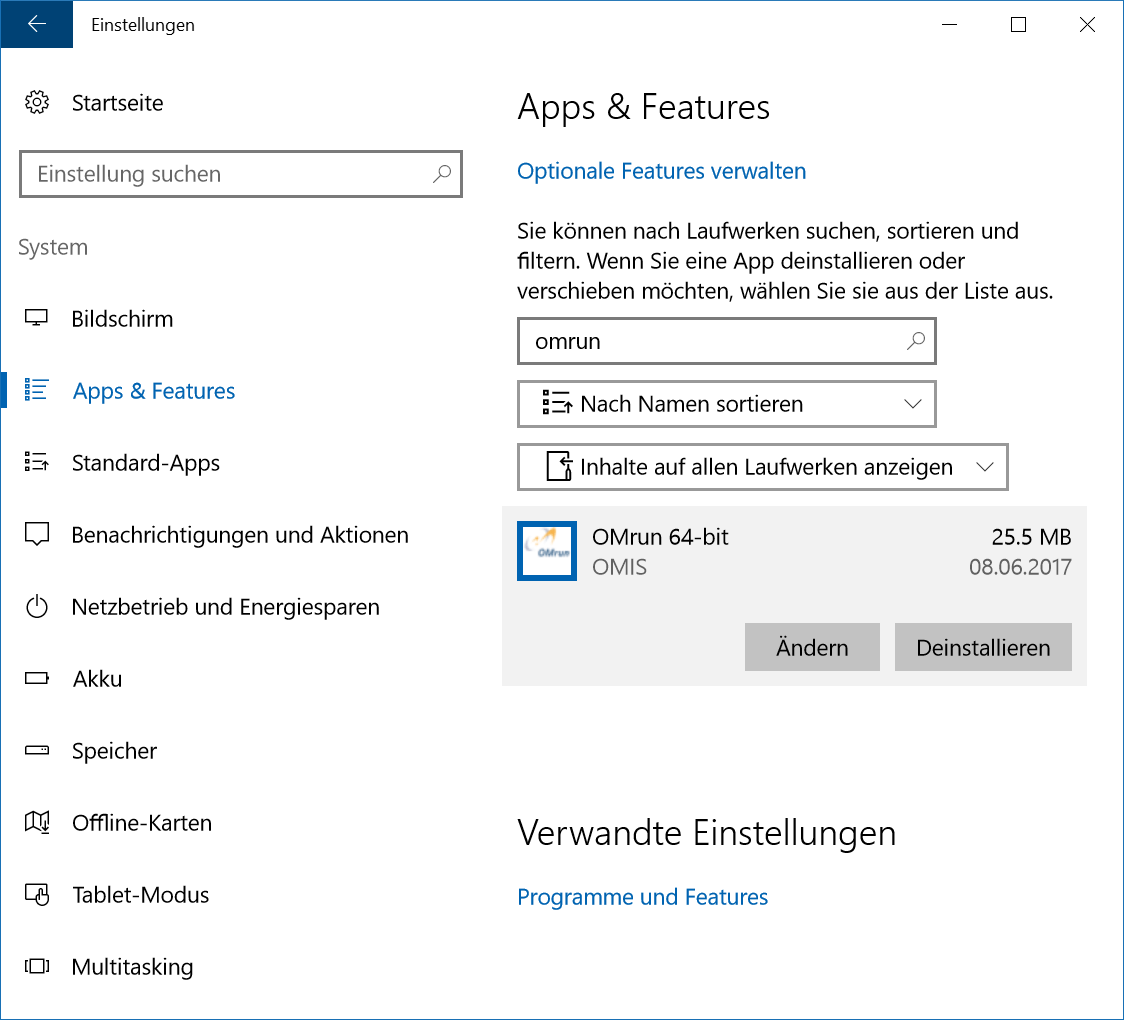
Start the uninstall process for OMrun over "Start" | "Control Panel" | "System" | "Apps & Features".
Find the entry for `OMrun` and click on "Uninstall".
Windows uninstall dialog
### Step 2: Complete uninstall
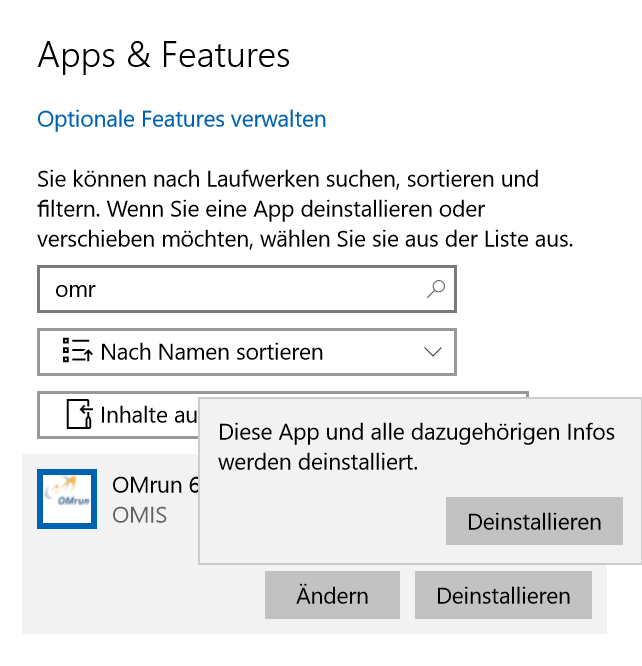
Click again on "Uninstall" of the pop-up window. OMrun will be removed from your operating system instantly.